A chat app performs different functions for different people. It is important to understand what we need to deliver
Clarifying Questions
- What kind of chat app shall we design? 1 on 1 or group based?
- Is it a mobile app? Or web app? Or both?
- What is the scale of this app?
- For a group chat, what is the group member limit?
- What features are important for the chat app?
- Is there a message size limit?
- Is end-to-end or encryption required?
- How long shall we store the chat history?
Answers:
- both: 1 on 1 and group chat
- both: web and mobile app
- It should support 50 million daily active users (DAU)
- A maximum of 100 people
- 1 on 1 chat, group chat, online indicator. It only supports text indicators.
- Yes, the text length should be less than 100,000 characters long
- No required for now
- Forever
We need a system with the following features:
- A one-on-one chat with low delivery latency
- Small group chat (100 people)
- Online presence
- Multiple device support
- Push notifications
High Level Design

Web Socket is the most common solution for sending asynchronous updates from server to client. The reason is constantly chosen is because its bidirectional communication.
Our system is broken down into three major categories:
1. Stateless service
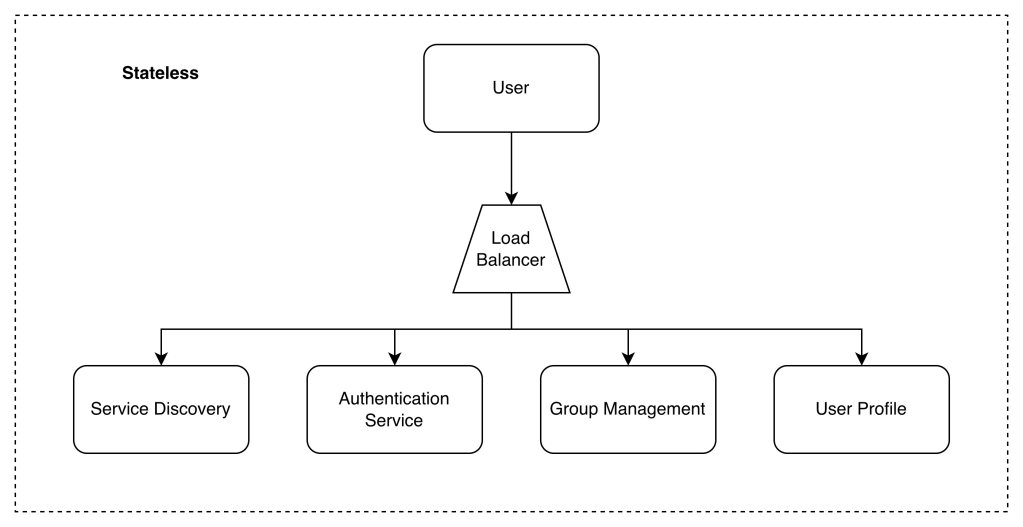
Stateless services are traditional public-facing request/response services, used to manage the login, signup, user profile, etc. These are common features among many websites and apps.
2. Stateful service
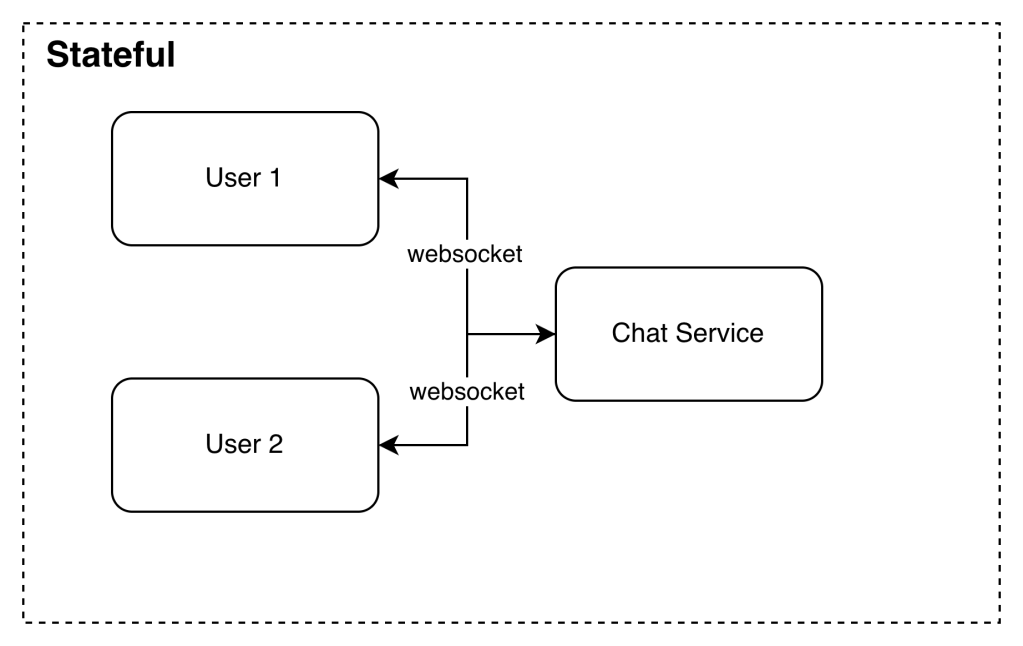
The only stateful service is the chat service. The service is stateful because each client maintains a persistent network connection to a chat server.
3. Third party integration
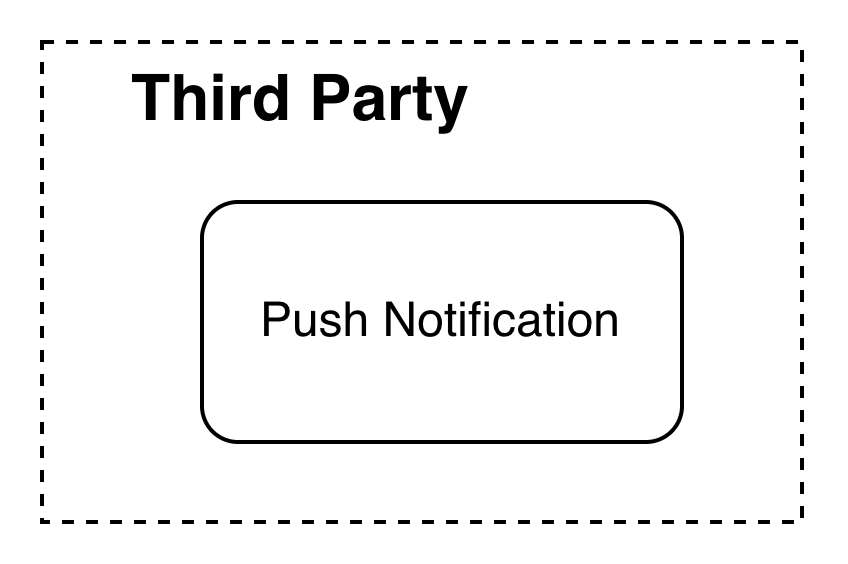
For a chat app, push notification is the most important third-party integration.
Full Design
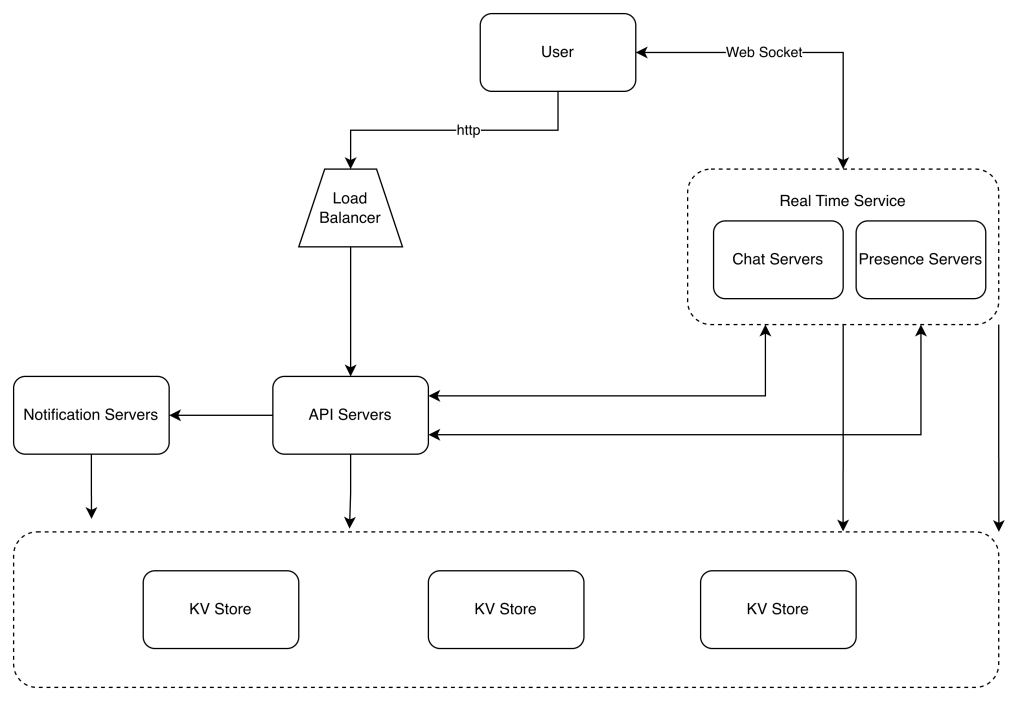
- Chat servers facilitate message sending/receiving.
- Presence servers manage online/offline status.
- API servers handle everything including user login, signup, change profile, etc.
- Notification servers send push notifications.
- Finally, the key-value store is used to store chat history. When an offline user comes online, she will see all her previous chat history.
Storage
Two types of data exist in a typical chat system.
- Generic data: user profile, setting, user friends list. These data are stored in robust and reliable relational databases.
- Chat history data: These data are stored in key-value stores:
- Key-value stores allow easy horizontal scaling.
- Key-value stores provide very low latency to access data.
- Relational databases do not handle long tail of data well. When the indexes grow large, random access is expensive.
Data Model
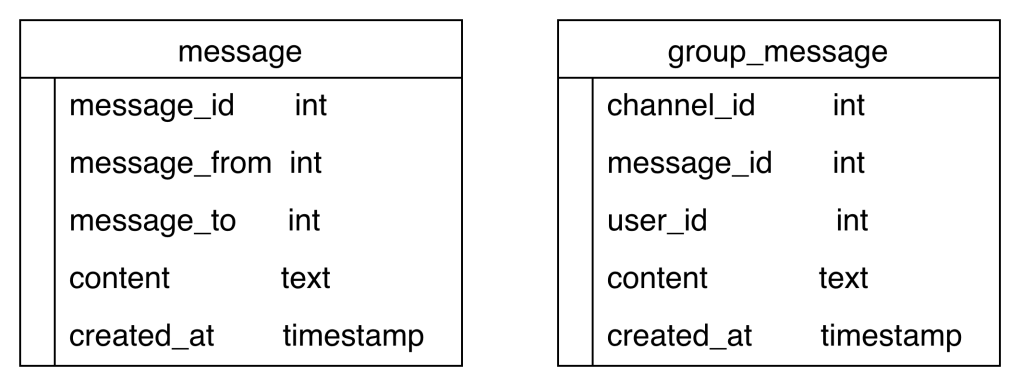
Key: message:m1Value:{ "sender_id": "u1", "receiver_id": "u2", "content": "Hi", "timestamp": 1710000000}
Design deep dive
Service discovery
The primary role of service discovery is to recommend the best chat server for a client based on the criteria like geographical location, server capacity, etc.
Apache Zookeeper is a popular open-source solution for service discovery. It registers all the available chat servers and picks the best chat server for a client based on predefined criteria.
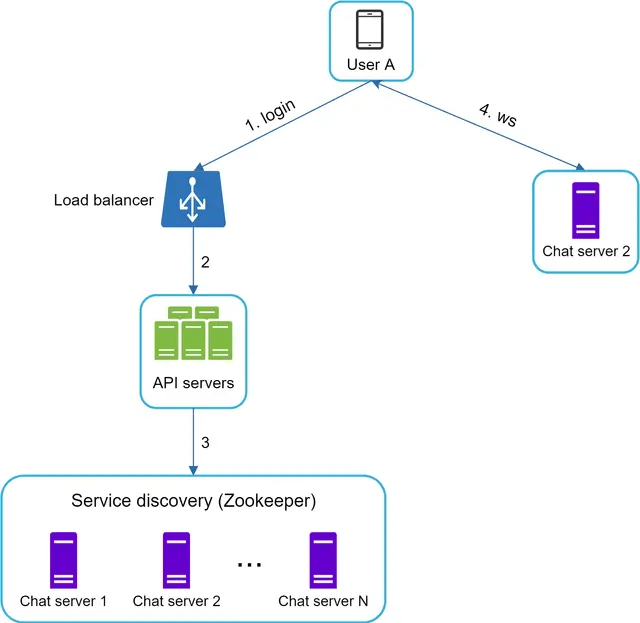
- User A tries to log in to the app.
- The load balancer sends the login request to API servers.
- After the backend authenticates the user, service discovery finds the best chat server for User A. In this example, server 2 is chosen and the server info is returned back to User A.
- User A connects to chat server 2 through WebSocket.
Message flows
1 to 1
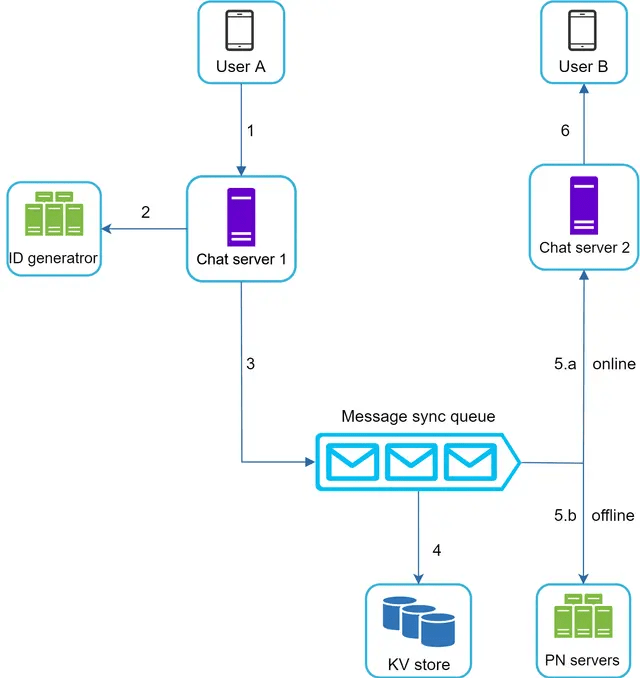
- User A sends a chat message to Chat server 1.
- Chat server 1 obtains a message ID from the ID generator.
- Chat server 1 sends the message to the message sync queue.
- The message is stored in a key-value store.
- If User B is online, the message is forwarded to Chat server 2 where User B is connected.
- If User B is offline, a push notification is sent from push notification (PN) servers.
- Chat server 2 forwards the message to User B. There is a persistent WebSocket connection between User B and Chat server 2.
Small group chat flow
Sender Side
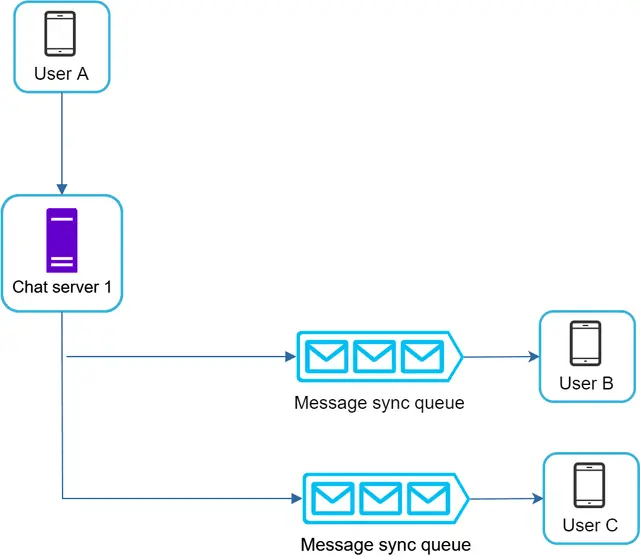
Assume there are 3 members in the group (User A, User B and user C).
First, the message from User A is copied to each group member’s message sync queue: one for User B and the second for User C. You can think of the message sync queue as an inbox for a recipient. This design choice is good for small group chat because:
- it simplifies message sync flow as each client only needs to check its own inbox to get new messages.
- when the group number is small, storing a copy in each recipient’s inbox is not too expensive.
recipient Side
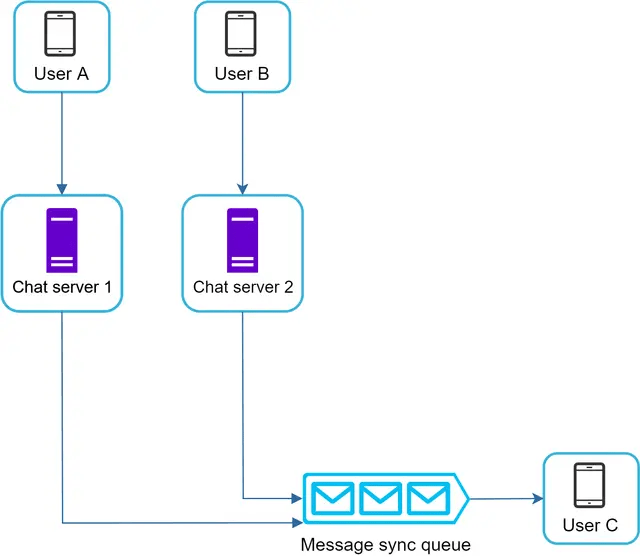
On the recipient side, a recipient can receive messages from multiple users. Each recipient has an inbox (message sync queue) which contains messages from different senders.
Online presence
User login
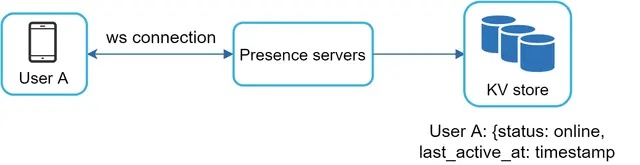
After a WebSocket connection is built between the client and the real-time service, user A’s online status and last_active_at timestamp are saved in the KV store. Presence indicator shows the user is online after she logs in.
User logout
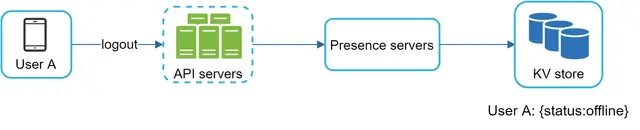
The online status is changed to offline in the KV store. The presence indicator shows a user is offline.
User disconnection
Heartbeat mechanism – Periodically, an online client sends a heartbeat event to presence servers. If presence servers receive a heartbeat event within a certain time, say x seconds from the client, a user is considered as online. Otherwise, it is offline.
Online status fanout
How do user A’s friends know about the status changes?
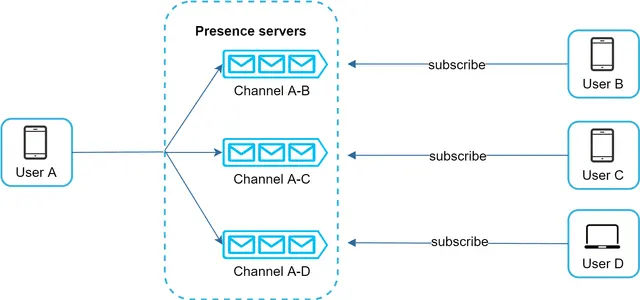
Presence servers use a publish-subscribe model, in which each friend pair maintains a channel. When User A’s online status changes, it publishes the event to three channels, channel A-B, A-C, and A-D. Those three channels are subscribed by User B, C, and D, respectively. Thus, it is easy for friends to get online status updates. The communication between clients and servers is through real-time WebSocket.
 Daniela Fernandez