A notification system alerts a user with important information like breaking news, product updates, events, offerings, etc.
There are three notification formats:
- Mobile Push Notification
- SMS message
Clarifying Questions
- What kind of notifications does the system support?
- Is it a real-time system?
- What are the supported devices?
- What triggers notifications?
- Will users be able to opt-out?
- How many notifications are sent-out each day?
Answers:
- Push Notification, SMS message, email
- It is a soft real-time system. We want users to receive alerts as-soon-as-possible. However, if the system is under a high workload, a slight delay is acceptable.
- iOS devices, android devices, and laptop/desktop
- Notifications can be triggered by client applications. They can also be scheduled on server side.
- Yes, users can opt-out if they don’t want to receive notifications
- 10 million mobile push notifications, 1 million SMS messages, and 5 million emails.
High-Level Design
iOS Push Notification
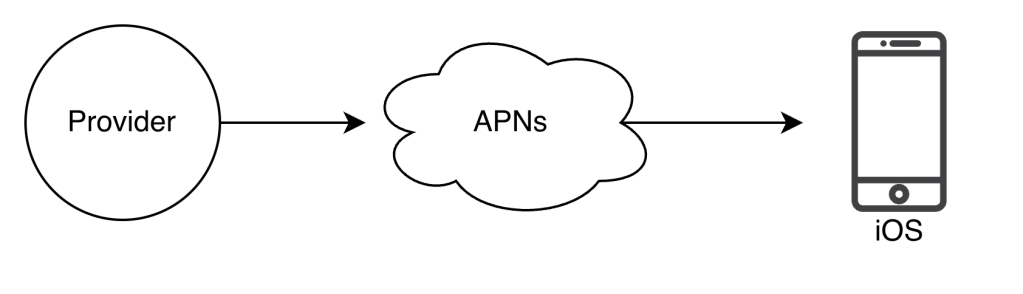
- Provider: It builds and sends notifications to Apple Push Notification Service
| To construct a push notification, the provider provides the following data: – Device Token: This is a unique identifier used for sending push notifications – Payload: This is a JSON dictionary that contains a notification’s payload { “apps”: { “alert”: { “title”: “Game Request”, “body”: “Boby wants to play chess”} }} |
- Apple Push Notification Service (APNS): This is a remote service provided by Apple to propagate push notifications to iOS devices
- iOS Device: It is the end-client, which receives the push notification
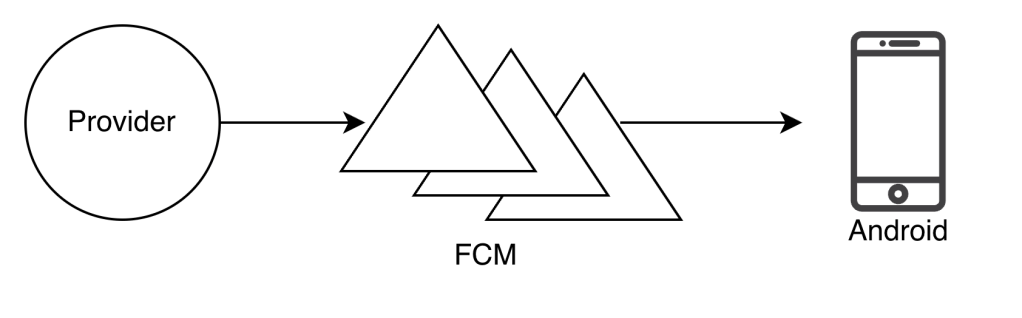
Android Push Notification
Similar to iOS push notification, but it uses Firebase Cloud Messaging (FCM).
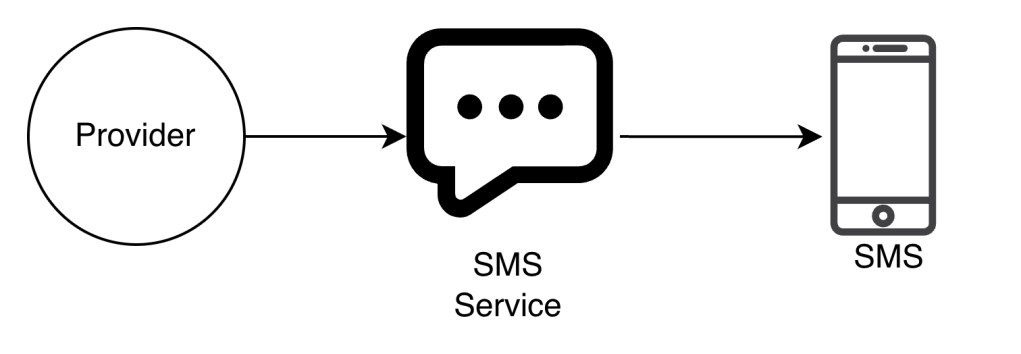
SMS Message
For SMS Messages, we use third party SMS services such as Twilio, or Nexmo
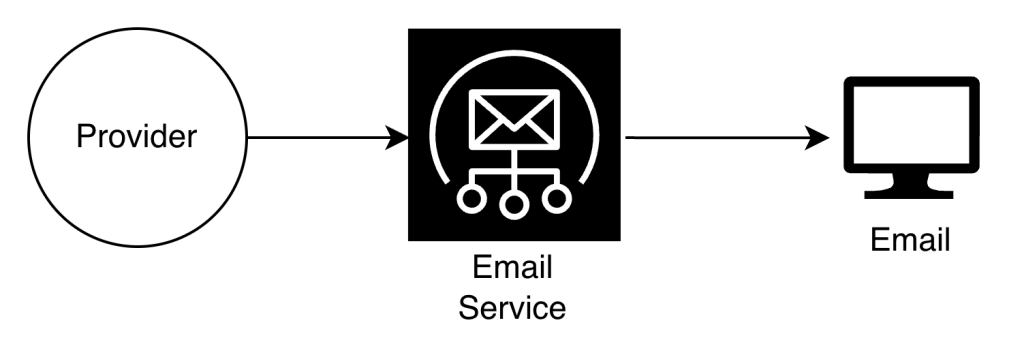
Companies can set up their own email service or use a third-party such as sendgrid and mailchimp.
Contact Info Gathering Flow
To send notifications, we need:
- mobile device tokens
- phone numbers
- email addresses
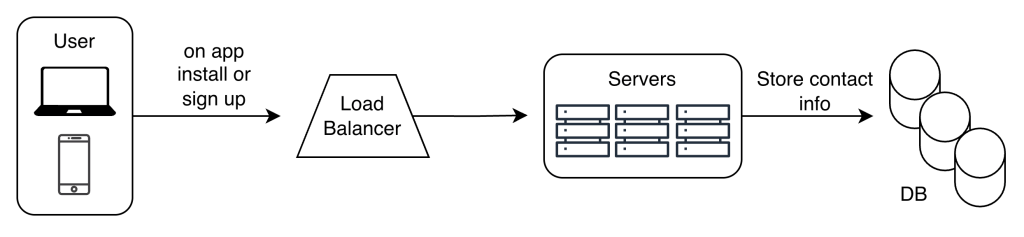
Our servers can collect this info when the user install our app and signs-up for the first time.
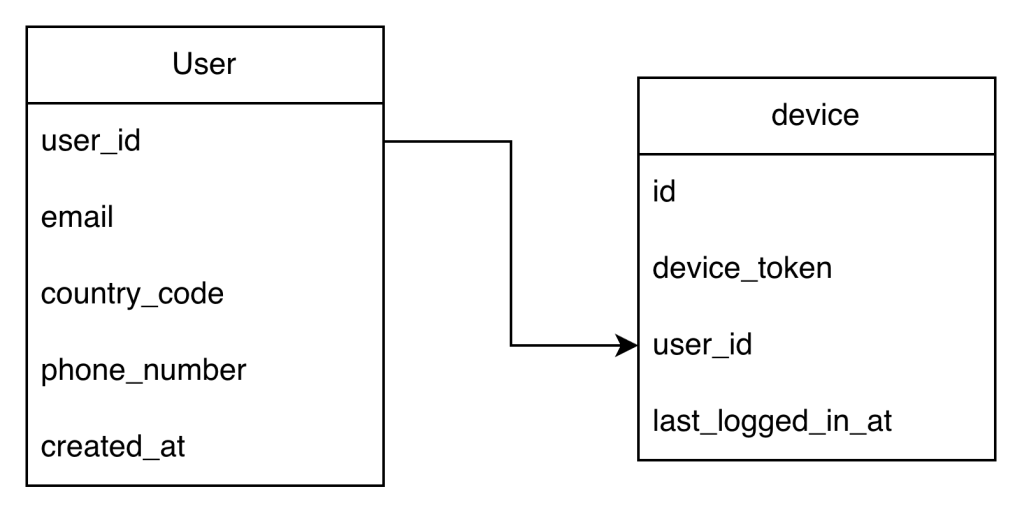
We can store this data like this:
Our design will look like this:
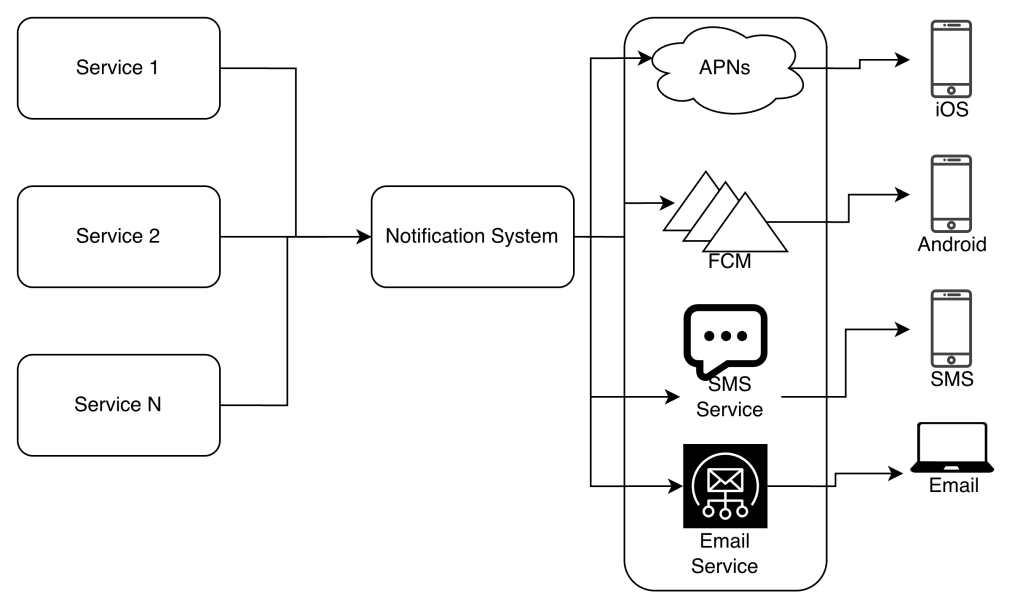
Service 1 to N: A service can be a microservice, cron-job, distributed system that triggers a notification sending events. For example, a billing service sends emails to remain customers of their due-payment.
Notification System: It provides APIs for services 1 to N, and builds notification payloads for third party services
Third-party Services: Responsible for delivering notifications to users
iOS, Android, SMS, email: Users receive notifications on their devices
Issues:
- Single point of failure (SPOF) – A single notification system
- Hard to scale: A notification system handles everything. Hard to scale individual components such as databases, caches, and other components
- Performance Bottleneck: Handling everything in one system can result in system overload
Improvements:
- Move the database and cache out of the notification server
- Add more notification servers and set up automatic horizontal scaling
- Introduce message queue to decouple the system components
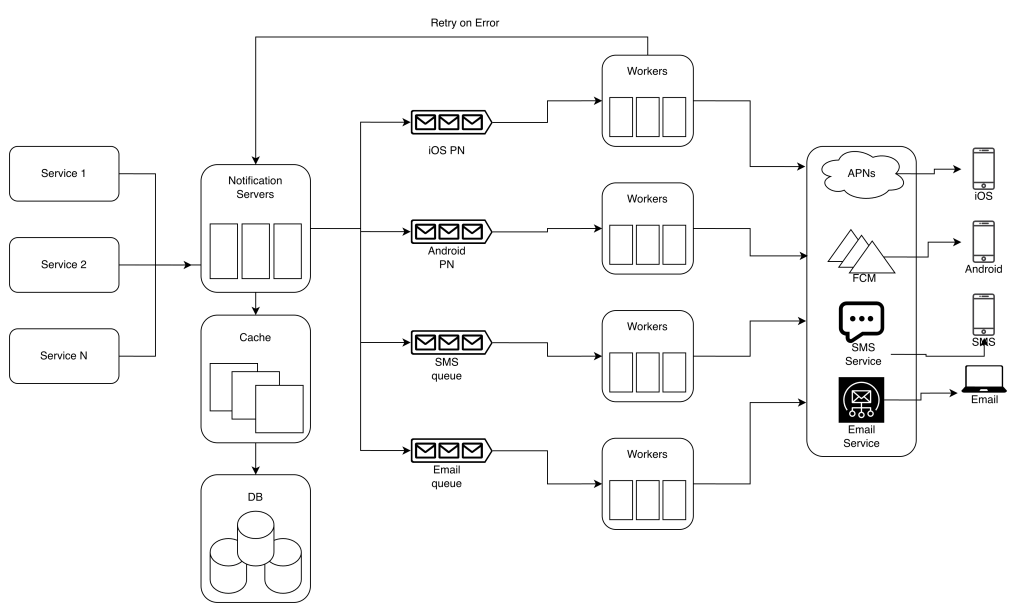
Service 1 to N: They represent different services that send notifications via APIs provided by notification servers
Notification Servers:
- Provide APIs for services to send notifications
{ "to": { "user_id" : 123 }, "from": { "email": "abc@gmail.com"}, "subject": "Hello!", "content": {"type": "text/plain", "value": "Hello World"}}
- Carry out basic validations to verify emails, phone numbers, etc.
- Query the database or cache to fetch data needed to render a notification
- Push notification data to message queues for parallel processing
Cache: User info, device info, notification templates are cached
DB: It stores data about user, notification, settings, etc.
Message queues: Serve as buffers when high volumes of notifications are to be sent out.
Workers: list of servers that pull notification events from message queue and send them to the corresponding third party services
Flow:
- A service calls APIs provided by notification servers to send notification
- Notification servers fetch metadata such as user info, device token, and notification setting from the cache or database
- A notification event is sent to the corresponding queue for processing.
- Workers pulls notification events from message queues
- Workers send notifications to third party services
- Third party services send notifications to user devices
Design Deep Dive
Reliability
How to prevent data loss?
Notifications can be delayed or re-ordered but never lost. To avoid data lost, the notification systems persists notification data in a database and implements a retry mechanism
Will recipients receive notification exactly once?
No, but to avoid de-duplications we can implement a deduplication mechanism
Additional Components
Notification Template: Notification templates are introduced to avoid building every notification from scratch.
Notification Setting: Users can decide whether they want to receive notifications or not. We can have a notification setting table, and check first if the user wants our notification or no
| user_id bigInt channel varchar # push notification, email or SMS opt_in boolean # opt-in to receive notification |
Rate Limiting: To avoid overwhelming the user with many notifications, we can limit the number of notifications a user can receive.
Retry Mechanism: When a third party fails to send a notification, the notification will be added to the message queue for retrying
Security in push notifications: Only authenticated or verified clients are allowed to send push notifications using our APIs
Monitor queued notifications: Monitor the total number of queued notifications. If the number is large, the notification events are not processed fast enough by workers.
Events Tracking: Notification metrics such as open rate, click rate, and engagement rate are important in understanding customer behaviors.
Final Design
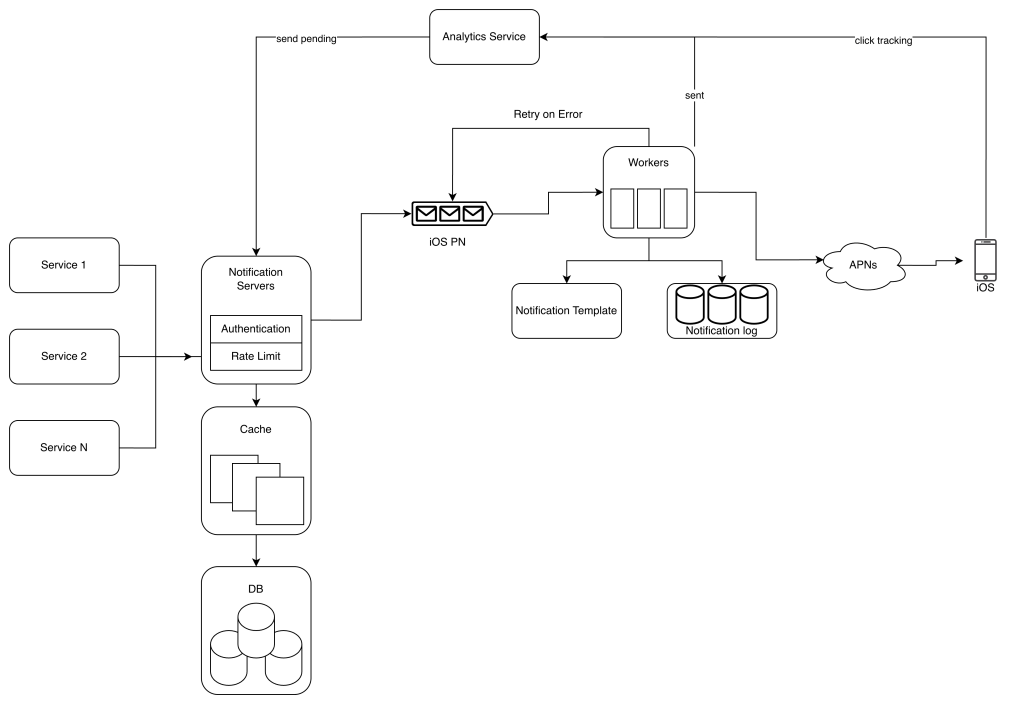
- Notification Servers now included: Rate Limiter and Authentication
- The retry-mechanism will add the notification back to the queue if the notification fails
- Notification templates accelerate the process of creating notifications
- Monitoring and Tracking system are added for system health checks and future improvements
 Daniela Fernandez